
The verdict: Anthropic just made Claude Code untethered, and it’s a certified W for every dev who’s ever had an idea mid-walk and couldn’t ship it. Remote Control is the real deal — not a gimmick, not a beta curiosity.
You’re running a 4-hour autonomous build task. Normally you’re chained to your desk watching a progress bar like it’s 2012. Now you scan a QR code, pocket your phone, and go touch some grass while your AI coding agent does the heavy lifting. Full control. Full local context. No port forwarding. No Tailscale gymnastics.
What Actually Shipped
Anthropic dropped Remote Control — a new mode in Claude Code that creates a secure sync bridge between your local terminal and the Claude mobile app or any browser tab. The command is dead simple:
claude remote-control
# or in-session:
/rc
Your terminal spits out a QR code. Scan it on your phone. Done — fully synced Claude Code session in your pocket.
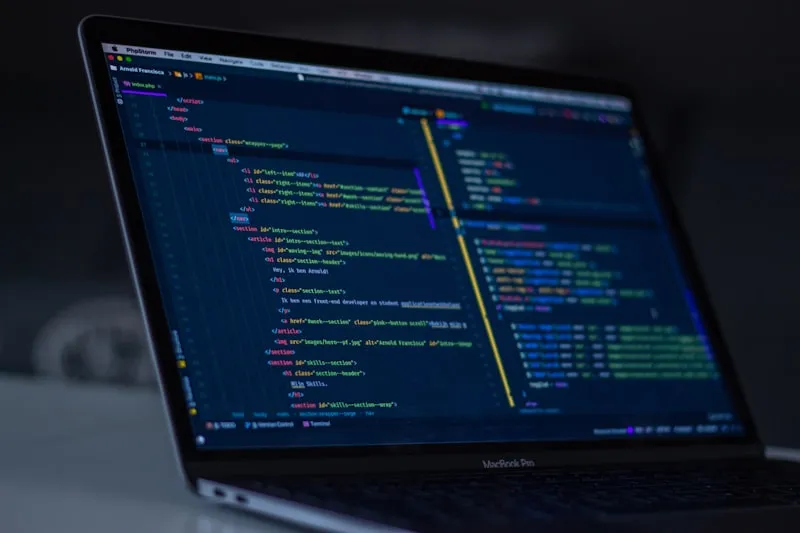
The architecture is actually clever. Your machine stays the host — filesystem, environment variables, MCP servers, all of it stays local. The phone is just a remote window. Only chat messages and tool results travel through Anthropic’s encrypted bridge. Nothing sensitive leaves your box.
No inbound ports. No VPN required. Your laptop initiates the outbound connection to Anthropic’s API, and if it sleeps or drops the network, the session stays alive and reconnects when you’re back. Automatic reconnection built in. It’s a native version of what devs were bodging together with Tmux + Termius + Tailscale — except it actually works.
Who Gets It Right Now
Claude Max only for now. That’s $100–$200/month — certified ouch for solo devs on a budget.

Claude Pro ($20/month) access is confirmed incoming — Anthropic posted it themselves. Team and Enterprise plans are notably absent from the initial rollout, which is odd but likely a capacity thing during the research preview phase.
To get started: update Claude to version 2.1.52+, authenticate via /login, then run claude remote-control from your project directory. The terminal generates a session URL and QR code — spacebar toggles between them. Full setup guide in the official docs.
Why This Is Actually a Big Deal
The framing from Claude Code PM Noah Zweben was “take a walk, see the sun, walk your dog without losing your flow.” That sounds like marketing copy but it’s pointing at something genuinely real.
The dev community has been bodging mobile access for months — Tailscale for tunnels, Termux on Android, Tmux for session persistence, custom WebSocket bridges that died the moment your laptop screen dimmed. These setups were always one network hiccup from breaking. Remote Control replaces all of it with a first-party streaming connection. No cap, this kills a whole genre of janky workarounds overnight.

The deeper shift here: we’re watching Claude Code evolve from a desk-bound coding tool into a genuinely ambient agent. You set a task, it runs, you supervise from wherever you are. The computer isn’t the constraint anymore — your attention is.
The Numbers Behind This Move
Let’s not pretend this is a minor product update. Claude Code is currently running at a $2.5 billion annualised run rate — a number that doubled since the 1st of January alone. It’s sitting at 29 million daily installs inside VS Code.
And here’s the stat that should make every dev sit up: 4% of all public GitHub commits worldwide are now authored by Claude Code. Not assisted. Authored.
Remote Control is Anthropic deepening the moat. Once your coding agent is running in the background and you’re checking in from your phone like it’s a Slack thread, switching to a competing tool becomes genuinely difficult. This is platform lock-in done right — you barely notice it happening.
The Actual Verdict
Remote Control is the right feature at the right time. The $100/month wall is a real barrier for indie devs — but for anyone already on Max, this is immediately useful. Long autonomous build tasks just got a lot less painful.
The phone-as-remote-window architecture is the smart call: no security tradeoffs, no “upload your code to the cloud” moment. Your local context stays local. Files, MCP servers, env vars — none of it moves. That’s how it should work.

Shipping code from your couch while your agent builds at your desk isn’t a gimmick — it’s where the whole industry is heading. Anthropic just got there first with a native solution that doesn’t compromise your local environment. Lowkey, this is one of the most practical AI dev releases in months. W.